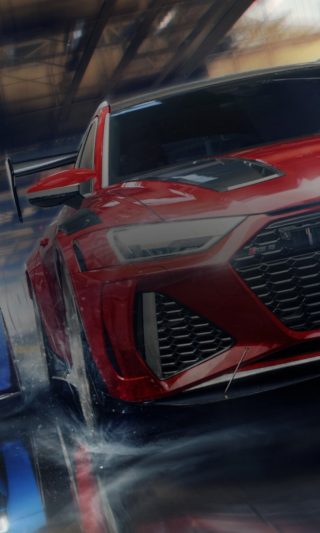
Need for Speed The Run FAQ

General Information

What are the benefits of using the Frostbite 2 engine?
One of our goals with Need for Speed The Run was to set the bar for visuals higher than any previous Need for Speed game, and working with DICE’s revolutionary Frostbite 2 engine, we’re able to do exactly that. The visual quality in Need for Speed The Run is unmatched among action racing games.

I hear The Run is an illicit high-stakes race. Can you tell me anything about the story?
Sean Faris is Jack Rourke, one of the best drivers around. Jack’s arrogance has led him into a debt he can't repay.  The mob has put a price on his head.  Christina Hendricks stars as Sam Harper, a woman with ambition, street smarts and a penchant for fast cars.  Sam is the only person who can help Jack.  Sam fronts Jack's buy-in for The Run, with a winner takes all of $25 million.  With Sam as his eyes and ears, all Jack needs to do is win.

Does the game actually have all 3000 miles of road from San Francisco to New York?
In The Run there is over 300km of road in Need for Speed the Run!  That’s almost twice as big as any previous Need for Speed game including Hot Pursuit.

Jobs?
Unfortunately, we don't take job applications through this website however you can view all our open positions at EA Jobs http://www.jobs.ea.com. You can set up a profile on the site and apply to any of these positions. 

The Basics

What are driver levels?
Driver levels are an indication of your progression through The Run.  This includes through the career, Challenge Series and Online.  Gaining XP raises your Driver Level.

What's the best way to earn XP?
Everything that you do in the game earns you XP which in turn raises your driver level. This includes finish positions, setting new Personal Best times, passing opponents, drifting, hitting your top speed, taking out cops…everything.  Best way to earn XP; drive really fast!

What do I get for leveling up my driver level?
When you level up you unlock new profile icons, profile backgrounds, cars, bonus, Challenge Series, driver abilities and more.

What are driver abilities?
Simply put, driver abilities are abilities that allow you to drive faster or earn more XP.  As you level up your driver you’ll unlock the following driver abilities:

Nitrous - Use nitrous to get a burst of speed.
XP Booster – Earns you extra XP for driving aggressively
Faster Nitrous Recharge – Your nitrous refills faster with aggressive driving
Cop Eliminator XP – Earns you extra XP while in police pursuits
Drafting – Allows you to draft other opponents
Max Nitrous – Doubles your Nitrous capacity

How do I gain Driver Abilities?
You gain Driver Abilities as you get XP and level up your driver.  Please refer to ‘What's the best way to earn XP?’ questions.

My Wife/Girlfriend/Brother/Sister/Husband/Boyfriend wants their progress on PS3?
You'll need to create a new user on your PlayStation 3 to do this.  Once you've signed in as a new user, boot the game and it will start again. Alternatively you can backup your save game to a USB device, delete the one on your system and start again.

Does the game support 3D display output?
No. At this time, the game does not support 3D-display output on Playstation 3 and Windows.

Is there Quick Race in The Run?
There are a variety of game modes in The Run, including Challenge Series, which is very similar to a Quick Race.

Does The Run support Custom Soundtracks?
Yes, Need for Speed The Run supports custom soundtracks.  If you are playing Need for Speed The Run with a custom soundtrack please be aware that the soundtrack will activate during the NIS / cut scenes in The Run.  To maximum your viewing experience during the cut scenes please disable the custom sounds track.

[ORIGIN] General

What is Origin?
Origin brings an entire universe of EA games into a single, convenient application.  It lets you purchase, download and play your favorite games, any time and any place you want.  It also integrates social features such as profiles, friends’ lists and chat so you can effortlessly connect and play with your friends.   It is a website – www.origin.com – where you can browse and pre-order games, as well as a desktop application that is the hub of your PC game-playing experience, from purchase to download to play.

How do I get Origin?
You can visit http://www.origin.com/ to buy and pre-order games, and www.origin.com/download to download the latest version of the Origin application for your desktop.

What features does Origin have?
In addition to fast and seamless downloads of full games straight to your PC, Origin is also integrated directly into many new games coming from EA.  Primary features for consumers include:

  • Auto-Patching – once you launch a game, Origin performs automatic checks for game updates and downloads them immediately;
  • In-Game Overlay – menu of options that you can call up while playing any EA game with Origin, where you can chat in real-time with friends, open up an in-game Web browser, and more;
  • Built-in Customer Service – 24/7 direct help any time you need it to ask about a problem or issue with your game;
  • Cross-Platform Friends Lists – build your list of friends on Origin and see what they’re playing whether you’re logging on from a PC or from your mobile device;
  • Lost DVD Recovery – lose your game DVD?  No problem on Origin – for any new EA PC game that you purchase at retail, you can re-download the game via Origin if needed.

All this and more is designed to enhance your game-playing experience with Origin.

Does Origin have Spyware in it?
Consumer privacy is very important to EA and we take every precaution to protect personal and anonymous user data collected as part of delivering online services like Origin.  Origin’s policies as described in the Origin End User Licensing Agreement (EULA) use industry standard privacy protocols employed by many other popular web services

Origin is not spyware, and does not use or install spyware on user machines Origin collects a limited amount of information needed to provide players with a service that allows them to purchase, download, access and play games and game content, connect online with other gamers and directly provide content and software updates. The information is also used to identify and fix software bugs as they arise

No information such as pictures, documents or other personal data unrelated to the application’s performance on a player’s system is accessed or collected,  The collection and use of information by Origin helps ensure that consumers are able to access their games as easily as possible and are able to enjoy the best service and experience EA has to offer

For more information, please read the full updated Origin EULA

[ORIGIN] Pre-Loading

I’ve purchased Need for Speed The Run PC download through Origin or other distributors and pre-loaded it. When will I be able to play?

Need for Speed The Run PC download pre-loads and the final packaged PC product will become playable at the following times, depending on your country location:

Monday, November 14th, 3:00PM UTC
Hong Kong, India, Korea, Singapore, Taiwan, Thailand, Bangladesh, Bhutan, Pakistan, Nepal, Brunei, Cambodia, Cocos Islands, East Timor, Fiji, Guam, Indonesia, Laos, Macau, Malaysia, Mongolia, Myanmar, Northern Mariana Islands, Philippines, Sri Lanka, Vietnam

Tuesday, November 15th, 8:00AM UTC
Brazil, Canada, Mexico, Russia Federation, United States, American Samoa, Antigua and Barbuda, Argentina, Aruba, Barbados, Belize, Bolivia, British Virgin Islands, Cayman Islands, Chile, Colombia, Costa Rica, Dominica, Dominican Republic, Ecuador, El Salvador, Falkland Islands, Grenada, Guadeloupe, Guatemala, Guyana, Honduras, Martinique, Nicaragua, Panama, Paraguay, Peru, Puerto Rico, Saint Barthelemy, Saint Kitts and Nevis, Saint Lucia, Saint Martin, Saint Pierre and Miquelon, Saint Vincent and the Grenadines, Suriname, Trinidad and Tobago, Turks and Caicos Islands, Uruguay, Venezuela, Virgin Islands, Armenia, Azerbaijan, Belarus, Kazakhstan, Kyrgyzstan, Moldova, Tajikistan, Turkmenistan, Ukraine, Uzbekistan

Wednesday, November 16th, 9:00PM UTC
Australia, Belgium, Denmark, Finland, France, Germany, Japan , Netherlands, Norway, Spain, Sweden, Antarctica, Austria, Christmas Island, Cook Islands, French Guyana, French Southern Territories, Heard and McDonald Islands, Kiribati, Libyan Arab Jamahiriya, Liechtenstein, Lithuania, Luxembourg, Marshall Islands, Mayotte, Micronesia, Monaco, Montenegro, Nauru, Netherlands Antilles, New Caledonia, Niue, Norfolk Island, Oman, Palau, Pitcairn Island, Papua New Guinea, Polynesia, Reunion, Romania, Samoa, Serbia, Solomon Islands, Syrian Arab Republic, Tuvalu, UAE, Vanuatu

Friday, November 18th, 12:00AM UTC
Ireland, Italy,  Poland, Portugal, South Africa, United Kingdom, New Zealand and all other countries

Do I need to be connected to the internet to install and run Need for Speed The Run on PC?
In order to install Need for Speed The Run for the first time on PC, you must be connected to the internet. After installation, you may play in offline or online mode as you wish.

Where can I find more information about Origin?
For more information on Origin please visit http://www.origin.com/faq

Online Pass

What is the Online Pass and what does it give me?
The Need for Speed The Run Online Pass gives you instant access to online modes, including Playlists and Playgroups as well as Autolog.

How do I redeem my Online Pass?
To redeem your online pass simply follow the steps below:

PlayStation 3:
1. After logging into PSN and booting up The Run, there will be a prompt to redeem your online pass.  If that doesn't appear press the press Select on your controller to access Autolog.  When the game attempts to connect to Autolog it will prompt you to redeem your online pass.
2. On the Online pass pop up screen select “Redeem Code.”
3. There is an Online Pass code included on an insert in your copy of The Run. Enter this code now. If you do not have a code, you can buy one for $9.99 through The Run’s “Store”.
4. Once your Online Pass code is entered, you’ll be prompted to confirm the download, which will ensure your console and PSN account are verified for The Run Online Pass.
5. Once the Online Pass is confirmed, it will be added to your active downloads.
6. You’ll receive a confirmation of activation message and your content license will be recognized by the game.
7. Once downloaded and activated, the Online Pass will have been registered to your account, granting you access to The Run’s online multiplayer modes and Autolog.

Xbox 360:
1. After logging into Xbox LIVE and booting up The Run, there will be a prompt to redeem your online pass.  If that doesn't appear press the press Back on your controller to access Autolog.  When the game attempts to connect to Autolog it will prompt you to redeem your online pass.
2. On the Online pass pop up screen select “Redeem Code.”
3. There is an Online Pass code included on an insert in your copy of The Run. Enter this code now. If you do not have a code, you can buy one for $9.99 through The Run’s “Store” which you can find in the game’s main menu.
4. Once your Online Pass code is entered, you’ll be prompted to confirm the download, which will ensure your console and XBL account are verified for The Run Online Pass.
5. Once the Online Pass is confirmed, it will be added to your active downloads.
6. You’ll receive a confirmation of activation message and your content license will be recognized by the game.
7. Once downloaded and activated, the Online Pass will have been registered to your account, granting you access to The Run’s online multiplayer modes and Autolog.

PC Requirements

What are the minimum PC Requirements for The Run?
The minimum PC requirements are as follows:

MINIMUM PC REQUIREMENTS:
OS: Windows Vista SP2 32-bit
DirectX: DirectX 10
Processor: 3.0 GHz Intel Core 2 Duo or AMD Equivalent
Memory: 3 GB
Hard Drive: 18 GB
Graphics card (AMD): 512 MB RAM ATI Radeon 4870 or higher performance
Graphics card (NVIDIA): 512 MB RAM NVIDIA GeForce 8800 GT or higher performance
Sound card: DirectX Compatible
Keyboard or Gamepad or Steering Wheel
DVD Rom Drive
Online: 512 KBPS or faster Internet connection

RECOMMENDED:
OS: Windows 7 SP1 64-bit
DirectX: DirectX 11
Processor: 3.0 GHz Intel Core 2 Quad or AMD Equivalent
Memory: 4 GB
Hard Drive: 18 GB
Graphics card (AMD): 1024 MB RAM ATI Radeon 6950
Graphics card (NVIDIA): 1024 MB RAM NVIDIA GeForce GTX560
Sound Card: DirectX Compatible
Keyboard or Gamepad or Steering Wheel
DVD Rom Drive
Online: 512 KBPS or faster Internet connection

Steering Wheel Support

Need for Speed The Run officially supports the following steering wheels:

PS3
Generally all steering wheels based on the PS3 controller will function in NFS The Run. Wheels will need to be configured / mapped in game.

Xbox 360
We officially support the Microsoft wheel.

PC
For PC we support all X input or Direct X compatible controllers, in other words, they’ll all work and will need to be configured in the game.

Wii
For Wii we support the Mario Kart wheel and compatible.

[DEMO] Basics

Why isn’t the Need for Speed The Run demo available anymore?
The Need for Speed The Run demo was only available from October 18th to November 1st.  It is no longer available for download from the Xbox LIVE Marketplace or PlayStation Store.  If you already have the demo, you will not be able to play any races or connect to Autolog.

[DEMO] Unlocks

If I played the demo do I get anything in the full game?
Your progress and stats from the demo will not be carried over but by playing the demo, you unlocked the NFS Edition BMW 1M Coupe in the full game.

How do I unlock the BMW 1M Coupe?
If you have played the Demo online you are eligible for unlocking the BMW 1 Series M Coupé NFS Edition.

1. Sign in with the same EA account you played the Demo with.

2. Go to EXTRAS

3. Select VERIFY NEED FOR SPEED™ VIP STATUS

4. You have unlocked your new car.

[GAME PLAY] Cars

What are Performance Tiers?
The cars in Need for Speed The Run are divided into six performance tiers, with Tier 6 being the fastest vehicles on the planet.

What is Handling Difficulty?
The handling difficulty indicates how challenging the car is to drive.  Cars that are more challenging to handle are usually more powerful.

What are Car Classes?
There are three classes of cars in Need for Speed The Run:

Stock Classes – These cars are unmodified and come straight from the factory.  Stock classes include Sport, Muscle, Exotic and Supercars.
NFS Edition Cars – These vehicles are performance-tuned variants of the cars, and they have branded NFS edition liveries.
Signature Edition Cars = Signature Edition cars are rare collectible vehicles that stand out from the rest because of their unique characteristics.  Each of these cars has a name.

How do I get the NFS Edition and/or Signature Edition Cars?
NFS Edition and/or Signature Edition cars are unlocked as you progress through The Run, Challenge Series and as rewards in online multiplayer races.

Can I customize my cars?
Yes, there will be car customization in NFS The Run.  Players can customize the car’s body kits and paint.  In addition to the customization, each car has 2 – 3 unlockable kits designed by the Black Box Car team that are unlocked as you progress through The Run and complete Challenge Series.  There are also “Need for Speed Edition” cars that players can unlock throughout the game.  These are performance tuned to be able to compete with almost any car in The Run.

I have played the Demo. How do I unlock my reward?

If you have played the Demo online you are eligible for unlocking the BMW 1 Series M Coupé NFS Edition.

 1. Sign in with the same EA account you played the Demo with.

2. Go to EXTRAS

3. Select VERIFY NEED FOR SPEED™ VIP STATUS

4. You have unlocked your new car.

 How do I change cars in The Run?
The answer really depends on which mode you’re playing:

The Run – While playing the story there will be points where you will have to choose a new car to race in.  There will also be other points where you are forced into a specific car.  However, when racing from San Francisco to New York you’re going to want to change your car once in a while.  You can do just that at Gas Stations.  Gas Stations are indicated on your HUD with an icon and meter that shows the distance to the next station.  Once you reach a Gas Station, pull in to enter the car select menu.  There, switch out your current ride with any vehicle available.

Challenge Series – Challenge is associated with a pre-determined Car Tiers. Any unlocked car in these Tiers can be used to play the Challenge.

Online Multiplayer = When you begin an online Playlist you select your car before the first race.  Choose carefully though because you won’t be able to choose another car until the next Playlist.  If you join a race in progress you select your car before enter the race.

[GAME PLAY] Basics

How good are the car physics in Need for Speed The Run?
The development team worked hard to create road-hugging physics that are in line with what you expect from an action racing Need for Speed game.

What Games Modes are in The Run?
There are five different games modes in The Run:

Sprint Race – Finish a section of The Run ahead of a certain number of racers.
Time Challenge –
Finish a section of The Run as quickly as possible to make up for lost time.
Battle Mode –
Pass another skilled racer within a certain time limit to get to the next racer.
Survival –
Race for your life!
Preview –
A sneak peak at an upcoming event, allows you to preview a car you haven’t unlocked yet.

What is the difference between the different difficulty settings in The Run?
The harder the difficulty the harder the racing!  Opponents will drive faster and more aggressively and you’ll have less reset available to use to higher difficulty levels.

“Extreme” difficulty is unlocked after you beat The Run.  This difficulty level challenges the extent of your driving abilities.  Play through The Run multiple times to improve your Autolog times and earn rewards.

What are resets and how do they work?
Resets (or "Checkpoint Resets") take you back to your previous checkpoint if you crash. For example, if a player crashes, or wants to retry the latest race section, hit the Back (Select on PS3) button to rewind to the start of the last race checkpoint.  The number of rewinds available is determined by your game play difficulty, so the player should use them wisely.

[GAME PLAY] Driving Tips

How do I gain Nitrous?
You can fill your nitrous as many times as you want during a race by racing aggressively (driving in the oncoming lane, near misses with other cars etc…)

What's the best way to use Nitrous?
Using Nitrous in small bursts is NOT the way to use nitrous as it will just waste it. It's better to conserve it until you've got at least half a tank (preferably more) and use it all in one go.

What is drafting / slipstream?
Slipstream, also known as drafting, is when you are behind a car and use it to reduce the amount of drag against your car. When the bar is full, move out from behind the other car and go for the pass!

My friend is faster than me. Are there any tips to get me driving better?
Yes! There are a few different way to improve your driving:

Level up your driver skills - This will unlock new cars and new abilities such as Nitrous & Drafting that will allow you to drive much faster
Pick your car wisely - Some cars are more suited to certain roads than other: use a nimble car on winding roads, but a car with a higher top speed may get better times on roads with long straights.
Know your route - Not all alternate routes are shortcuts.  Sometimes it's faster to stay on the road. Some shortcuts are obviously beneficial, but others are more ambiguous: experiment to find the best route along each road.
Learn when to brake for corners and when to start accelerating - Braking and accelerating at the right time in each corner will shave seconds of your race time
Use Nitrous at the right moments - Try not to use Nitrous before a corner.  Instead, save your nitrous until after the corner to accelerate back to speed quicker
Draft your opponents - Draft your opponents for a few moments until the Draft meter is full.  Once you see it blink, go for the pass to gain a sling shot.
Tap the handbrake in corners - Tapping the handbrake while taking a corner is a good way to slow down without losing grip
Take risks to gain more Nitrous – You can gain more Nitrous quicker if you drive aggressively (for example, drive in the oncoming lane).  The more Nitrous you get the faster you can drive.
Precision pays - Driving smoothly and accurately maintains speed, particularly on shortcuts where the driving line is much faster than the rough stuff on either side (follow the tire tracks for the optimal route). You also don't want to hit anything: it seems obvious, but even little scrapes against walls can scrub off precious speed. The key to the best time is keeping your speed as high as possible at all times: the more often the speedo is in the red/blue the better!

I'm losing lots of speed when I'm drifting, what can I do? Do I have to tap the brake to start a drift?
If you find yourself losing too much speed in drifts then you may be drifting erratically: a smooth, controlled drift is much faster than one with lots of steering adjustments.   However, the best way to race is to brake for corners and accelerate out.

[GAME PLAY] Changing Controls

Can I manually map the controls?
Yes, Need for Speed The Run supports full button mapping to allow you assign each control function (for example, brake / acceleration) to whatever button you want it to be.  To manually map your controls in game go to SETTINGS – GAMEPLAY - CONTROLS

[AUTOLOG] Basics

What is Autolog?
Autolog is a suite of online features that allows you to connect, compare and compete with your friends playing Need for Speed The Run. Autolog tracks everything that you do, automatically compares it with your friends and broadcasts the results of these comparisons directly into your game. For each stage, race, Challenge Series and online event you will see a SpeedWall, this is essentially a leaderboard for that event showing you how you are doing against your friends. Autolog will track and display your times, the car you used, and the number of resets that you've made on each event. Autolog will also deliver the latest news to you based on what your friends have been playing.

What are Autolog Notifications?
Notifications appear on the bottom of the screen and display useful information such as Friend updates, race recommendations and more.

What is Autolog Recommendations?
Autolog Recommendations gives you personalized game play recommendations automatically generated based on how well your friends have been playing.  Everything you do in Need for Speed The Run is tracked and continuously compared against your friends.  If you set a new Personal Best for a race event or stage, Autolog places your performance into your Friends’ games and alerts them about your progress.  Similarly, your Friends’ performances are broadcasted directly into your game, giving you instant comparisons whenever you are playing.

[AUTOLOG] SpeedWall

What is a SpeedWall?
The Run SpeedWall is shown after every race event and stage.  It updates your position against those of your Friends.

What’s this I hear about Real-Time Autolog tracking?
If a Friend has previously raced an event you have unlocked, their current split time is shown against yours in real-time during races.

How often does Autolog update?
This is dependent on network conditions between your game and Autolog as well as the demand being placed on Autolog from other gamers. In fair conditions, we expect it to update inside 30 seconds, however, in some instances, you may have to be patient and wait a few minutes for Autolog to update with the latest data.

What happens to my times if I lose connection to Autolog?
If for any reason you lose connection to Autolog, your game performances are still recorded on your console / PC. When you then reconnect to Autolog, your updated times and stats will be automatically uploaded to Autolog to make sure that you haven't lost anything.

Why does my game time on the USA map display such as low time when I cleary played more than ##:##:## to finish The Run?
That timer only counts actual time racing excluding resets.

[AUTOLOG] Profile Customization

What is the Autolog Profile Icon and how do I change it?
Autolog Profile Icons are small images that are used as your avatar in Autolog.  When another player looks at your Autolog profile, you will be represented using the icon.  You can customize your profile icon within Autolog on the Profile tab.  Simply select ‘Customize Profile Icon’ and select your desired icon.

What is the Autolog Profile Background and how do I change it?
Autolog Profile Backgrounds are images that are used in conjunction with your Profile Icon to represent you in Autolog.  You can customize your Profile Background within Autolog on the Profile tab.  Simply select ‘Customize Profile Background’ and select your desired background.

What is the Autolog Motto and how do I change it?
The Autolog motto is a text phase that appears on your Autolog Profile (for example, “Jack is my Hero!”).  You can customize your Motto within Autolog on the Profile tab.  Simply select ‘Change Motto’ and select your desired motto.

Can I edit my Autolog profile on the web or through the iOS or Facebook apps?
You can only edit your Autolog profile in-game

It says my EA Account details are incorrect.
If you need to set up a new account or are having difficulties remembering your details, head over to http://profile.ea.com.

[AUTOLOG] Friends on Autolog

What if I don't want to be suggested as a Friend to my Friends of Friends?
Autolog generates Friends suggestions for a network of players based on mutual Friends of Friends. If you don't want Autolog to utilize your network to generate these suggestions you can turn the feature off. To do so, go to SETTINGS - ACCOUNT MANAGEMENT - PRIVACY and uncheck the option.

How can I find new Friends to compare against?
We think that mutual friends are more important than strangers so Autolog will suggest Friends of Friends to you. To see these friend recommendations, head to the Friends tab in Autolog and press SQUARE (PS3) or X (Xbox 360) to change the filter to Recommendations. Here you can send Friend Requests to players that Autolog is suggesting you.

PC
Origin makes it very easy to Add Friends. Press Shift+F1 to open Origin and click on the Add a Friend icon at the bottom right of your Friends List. From there you can either import Friends from Xbox LIVE, PLAYSTATION® Network,  previous EA games such as Need for Speed Hot Pursuit or Need for Speed Shift 2 or search for existing Origin Friends.

[AUTOLOG] Autolog on Mobile & PC

Can I access Autolog when I’m not on my console or PC?
Yes you can! Autolog is available on the web (http://www.needforspeed.com/therun/autolog), on your mobile phone with the Autolog iOS and on Facebook with the Autolog Facebook app.

What else can I do on Autolog iOS or Facebook apps?
In addition to viewing your friends’ activity in The Run you can also view your profile stats, Autolog recommendations and read the latest Need for Speed news.

What is tagging?
When viewing your Autolog recommendations on the web or in the iOS / Facebook Autolog apps you have ability to tag a recommendation.  What this means is that if you see a recommendation that you like or feel you just need to beat you can bookmark it so that next time you go into the game that recommendation will appear in Autolog.  Pretty handy when one of your rivals beats your time!

[ONLINE] Playgroups & Playlists

What is a Playgroup?
Playgroups allow you to join or invite your friends into a Playgroup to enjoy special racing benefits together.  When in a playgroup, new group objective are available to complete. They require you to work together to complete them.  Completing group objectives allows you to earn far more XP and cool new rewards.

What are Playlists?
Playlists are a themed set of races offering specific experiences ranging from racing sport cars in the city at night, to muscle car battling on the open freeways.  Playlists determines which type of cars, performance and tracks will be run.  Each Playlist runs multiple races in a row to form race sessions.

How do I choose a Playlist?
A Playlist is chosen by the creator of the race session (when they first create it).   After the first race session is completed players can vote on the next Playlist.  To unlock new Playlist, complete online objectives.

What is the Bonus Wheel?
The Bonus Wheel appears during voting, offering a random bonus prize which is rewarded after each race session.  Rewards range from bonus XP, new cars, bonus cash to achievements / trophies and everything in between.

What are Objectives?
Every Playlist allows you to increase your XP when you complete objectives.  You always have three objectives (for example, pass 5 opponents), and when you finish one objective another one replaces it until all objective are completed.  The harder the objective, the more XP you earn when you complete it.  If you start or join a Playgroup, you can complete special objective for even more XP.

My friends online race has already started, can still join?
Rather than making you wait for a race to finish, Need for Speed The Run lets you join a race that has already started.  You enter the race in last place near the back of the pack (not all the way back at the start).  You may not win, but it beats sitting around waiting, and you still earn XP!

Will you release more Play Lists in the future?
Be sure to check the Autolog in-game news for announcements regarding Online Playlists.

[ONLINE] Support

Other online players can't join my game no matter what I do.
The best thing to do for flawless online connections, not just with NFS The Run, but for all online games is to ensure that you have a modern, up to date router. You should ensure that uPNP is enabled on the device. On the PS3 you can go to your internet settings and run a connection test which will test your NAT type. Ideally you are looking for 2 or below with uPnP available.
 
On X360 you should see the NAT type as "Open". Microsoft has a page for helping with NAT issues here: http://support.xbox.com/support/en/us/nxe/kb.aspx?id=979000&lcid=1033

If you are still having issues then you can try putting your PS3/X360 into "DMZ" mode on your home network. The router manufacturer's instructions should be consulted on how to achieve this.

Finally a list X360 compatible routers can be found here: http://support.xbox.com/support/en/us/nxe/xboxlive/getconnected/CompatibleNetworkEquipment/CompatibleNetworkingEquipment.aspx 

Ensuring that your router is flashed to the latest firmware, as provided by the router manufacturer, can also help.

Do I need to open any ports on my router to in order to connect to Autolog or race online?
If you experience any difficulties connecting to Autolog or an online multiplayer race try opening the following ports on your router:

TCP: 80, 443, 9988, 10011, 10021, 10031, 10051, 10061, 10071 10321, 10331, 10341, 10351, 10361, 42127

Server Not Available / I keep getting kicked offline.
Make sure that you have enabled all the ports listed above. It is also worth turning off any other devices you may have connected to your router when playing the game online. If you've done this then you will need to contact your ISP for further assistance.   Also see the answer above "Online players can't join my game no matter what I do"

Do I need to create a new account to play NFS The Run PC online?
To play NFS The Run PC online you need an EA Account with an associated EA ID.  If you have an EA Account and you know your EA ID you can enter this on the initial login screen along with your password and so you don't need to try creating a new account.

If you don't know the EA ID associated with the account you can find out by visiting http://help.ea.com/en/need-for-speed/. On that page select 'My Account' and enter your e-mail address and password if prompted. Once logged in select 'My Account' again. Your EA ID will be listed on your 'EA Account Manager' page.

If you have an EA Account but don't have an EA ID associated with it (for example you created the account by playing the console version of NFS The Run) then you can add an EA ID to that account by going through the 'Create Account' flow and specifying the e-mail address and password for your EA Account. Be sure to enter the correct information in the other fields as your account will be updated with that information.

If you don't have an EA Account then you will need to create a new one. The account you created can then be used in lots of other EA games as well as on http://www.EA.com and http://eastore.ea.com

Why can't I play online if I am under 13 years old?
Electronic Arts has a policy of restricting access to online play from children under the age of 13. This decision is based on a myriad of business and regulatory considerations. Parents and guardians are not prohibited from allowing their kids to use the parent or guardians own account for online game play under their supervision. However, do keep in mind that any violation of EA Terms & Conditions by anyone using your account may cause an irreversible revocation of the account. Parents or guardians have a responsibility to educate kids regarding online safety and may find resources such as Web Wise Kids (http://www.webwisekids.org) and Wired Safety (http://www.wiredsafety.org) helpful.

When I race online the cars disappear and reappear a lot.  What can I do to stop this?
If you experience lag and/or see cars appearing and disappearing during online multiplayer races it's because you have high latency. 

To reduce latency please ensure that all other devices (PC's, mobile devices, etc) connected to the network are shut off and/or disconnected.

VIP Rewards & Promotions

I pre-ordered the game and should have gotten access to the Carbon / Underground / Most Wanted Challenge Series.  Why don’t I have them in the game?
Be sure you entered the code that is on the inside of the box. To do this, go to redeem code in either the XBOX LIVE or PSN Store

Do I get anything in Need for Speed The Run if I owned past Need for Speed games?
Yes, if you have played either Need for Speed™ Hot Pursuit, SHIFT 2 UNLEASHED or Need for Speed World you are eligible to unlock the Team Need for Speed BMW Z4 GT3.  To redeem your reward simply:

1. Sign into Autolog with the same EA account you played previous Need for Speed titles with

2. Go to EXTRAS

3. Select VERIFY NEED FOR SPEED™ VIP STATUS

4. You have unlocked your new car

If I played the demo, do I get anything in the full game?
Your progress and stats from the demo will not be carried over but by playing the demo, you unlocked the NFS Edition BMW 1M Coupe in the full game.  To redeem your reward simply:

1. Sign in with the same EA account you played the Demo with.

2. Go to EXTRAS

3. Select VERIFY NEED FOR SPEED™ VIP STATUS

4. You have unlocked your new car.

How do I unlock the K&N Challenge Series?
The K&N Challenge Series is unlocked when you complete Stage 3 in The Run.

How do I unlock the K&N Dodge Challenger SRT8?
The K&N Dodge Challenger SRT8 is unlocked when you get gold medals on all the K&N Challenge Series events.

Is it true that if I get gold in all the K&N Challenge Series events I get a discount in their store in the real world?
Yes!  If you do manage to get gold in all the K&N Challenge Series events you are rewarded with an exclusive discount offer at the K&N store.  To find out more about the discount you’re going to have to get gold in all the K&N Challenge Series events.

How do I unlock the Dr. Pepper cars?
For detailed instructions on how to unlock the Need for Speed The Run Dr Pepper rewards visit http://www.drpepper.com/promotions/ea/faq/

How do I unlock the AEM Challenge Series?
The AEM Challenge Series is unlocked through a cheat code.  What cheat code?  Maybe you should join the Need for Speed community on Facebook or Twitter…

How do I unlock the AEM Nissan 370Z (Z34)?
The AEM Nissan 370Z (Z34) is unlocked when you get gold medals on all the AEM Challenge Series events.

What promotions am I eligible for?
At this time, both Dr. Pepper and Arby’s items are currently only available to United States consumers, while Old Spice, K&N and AEM are North America only. We’re looking at a few options though, as we’d love global fans to be able to get their hands on this content!

Are there any other ways I can win cool Need for Speed prizes?
Yes!  Visit NeedforSpeed.com/therun often because we run a lot of community events, contests and competitions that give you the chance to win some great Need for Speed prizes.

Patches for The Run

Have you guys released any patches for Need for Speed The Run?
Yes, there is a patch currently available for Xbox 360 & PS3.

How do I download and install the patch?
The patch / title update is available on the Xbox LIVE Marketplace or PlayStation Store.

Why haven’t you released the PC patch yet?
We are planning to release a PC patch. Check NeedforSpeed.com often for updates.

Will you guys be releasing any more patches?
At this time there are no other patches planned or in production.

[TROUBLESHOOTING] Origin

I've downloaded Need for Speed The Run from Origin and it says 'Ready to Install' but I can't get it to actually start installing.  Help!
Try this to get it installing:

- Head to your game download folder. If it is the default one it should look like:
   C:\Program Files (x86)\Origin Games\Need for Speed The Run Limited Edition
- Find Need for Speed the Run.exe, if it looks instead like Need for Speed the Run.exe_DiP_STAGED, remove the _DiP_STAGED part from the game .exe again.

If that doesn't fix the problem then you'll need a mechanic.

[TROUBLESHOOTING] Autolog - General

Why can’t I connect to Autolog?
If you experience any difficulties connecting to Autolog or an online multiplayer race try opening the following ports on your router:

TCP: 80, 443, 9988, 10011, 10021, 10031, 10051, 10061, 10071 10321, 10331, 10341, 10351, 10361, 42127

[TROUBLESHOOTING] Autolog - SpeedWall

My Friends aren’t appearing on my Speedwall?
Either they have not set a time on that track, have not connected Online whilst playing or have not accepted the EA Terms & Conditions. 

The wrong times are appearing on the Speedwall
The players’ fastest time should always be accurate.  If this is not the case please allow a few minutes for the information to be updated on the servers.

What happens to my times if I lose connection to Autolog?
If for any reason you lose connection to Autolog, your game performances are still recorded on your console / PC. When you then reconnect to Autolog, your updated times and stats will be automatically uploaded to Autolog to make sure that you haven't lost anything.

[TROUBLESHOOTING] Autolog - Photos

I can’t upload photos to Autolog.  Every time I try I get a “Photo upload failed.  Please try again” error message
If you receive an error while attempting to upload a photo to Autolog there are a few reason why you may have received it:

1. You are not connected to Autolog - Ensure that you are connected to Autolog before uploading the photo
2. You have already uploaded 25 photos (maximum) to Autolog.  If you would like to upload more photos you'll need to delete some of the photos you've already uploaded
3. Autolog servers are offline - At all times we strive to ensure that the Autolog servers remain online and functional.  However, there may be times when we take the servers offline for maintenance.  Please check http://NeedforSpeed.com/blog for the status of the Autolog servers (there will be a notice that the servers are offline)

I can’t take consecutive photos in the Car screen
If you experience this issue you need to exit out of the Car screen then return to take another photo.

I can’t use the photo mode options when using the official Xbox 360 steering wheel
Please be aware that photo mode options are unavailable when you are playing The Run with the official Xbox 360 steering wheel.  If you want to take photos you'll have to use a controller to do so.

[TROUBLESHOOTING] Online - General

Voice Chat doesn't work
Be sure that your headset is configured properly and you have the following ports on your router open:

TCP: 80, 443, 9988, 10011, 10021, 10031, 10051, 10061, 10071 10321, 10331, 10341, 10351, 10361, 42127

Whenever I join an online multiplayer race I’m never able to load into the race.  It just sits on the intermission screen.
This issue occurs when players who have not downloaded / installed the NFS The Run patch attempt to play online multiplayer with players who have downloaded / installed the patch. 

If you are experiencing this issue please download / install the NFS The Run patch

Cars disappear / reappear a lot when I’m in an online multiplayer race
If you experience lag and/or see cars appearing and disappearing during online multiplayer races it's because you have high latency. 

To reduce latency please ensure that all other devices (PC's, mobile devices, etc) connected to the network are shut off and/or disconnected.

[TROUBLESHOOTING] Online - EA Account

It says my EA Account details are incorrect.
If you need to set up a new account or are having difficulties remembering your details go to http://profile.ea.com.   If you continue to experience difficulties logging into Autolog please change your EA Account password and try again.

If changing your password does not resolve your issue please contact our Customer Service.

I’m having trouble changing my EA Account password…
If you are having trouble changing your EA Account password it's most likely because you are trying to use a password that is not valid.

When creating a new password ensure that it only contains letters and numbers (no special characters). 

I can’t update my EA Account email address…
If you are having difficulties creating a new EA Account please ensure that you have entered a valid email address and password into the account creation form. 

If you continue to experience issues creating an account you can visit http://www.needforspeed.com and create an account there.  if that fails, please contact EA Customer Support for further assistance.

[TROUBLESHOOTING] Wheels

I can’t get past any of the out of car sequences when I’m using the PS3 Driving Force (wireless), PS3 Driving Force Ex or Driving Force Pro wheel
If you are unable to progress past the out of car sequences in NFS The Run its most likely because you're using a steering wheel.  Ensure that all functions / buttons are properly mapped to the wheel.  The buttons can be mapped in the Options menu.

If you continue to experience difficulties in the out of car sequences try playing through them with a controller / keyboard.

My Fanatec Porsche GT3 RS Wheel won’t work in NFS The Run
Please be aware that the Fanatec Porsche GT3 driving wheel is not supported in Need for Speed The Run.

My driving wheel is too sensitive when driving in The Run!
If you find that the steering on your driving wheel is too sensitive you can change the wheel sensitivity in the options menu.  Be sure to take some time to tune the wheel sensitivity to a setting that you feel comfortable with.

I can’t install Need for Speed The Run
If you are having difficulties installing Need for Speed The Run  on your PC ensure that the name of the folder you're installing the game to only contains letters and/or numbers. 

[TROUBLESHOOTING] General Help

My antivirus software flags the NFS The Run main executable as a potential threat.  It is a virus?
It has been found that some anti-virus programs detect the Need for Speed The Run main executable as a potential virus / threat.  Please rest assured that it is not.

To resolve this issue you will need to add an exception for the executable to the anti-virus program.

What about cheaters?
We do not condone cheating in Need for Speed The Run.  If you suspect someone of cheating best thing to do is to stop racing with them and notify EA Customer Support.

Why does it sometimes force me to reset, then other times respawn on the track?
If the player wrecks their car, drives out of bounds or off the main racing route the game will reset them to the last Checkpoint.  The player can also manually reset if they wish to help recover from a bad situation or to reset after a driving error.

Why does the PC / PS3 / Xbox 360 version not look as good as others?
Frostbite 2.0 was built from the ground up and tuned to deliver the best possible experience on each hardware platform - different generations of hardware will offer different experiences.

I’ve played NFS Hot Pursuit, how come I don’t get the VIP reward?
If you are experiencing difficulties redeeming the NFS Hot Pursuit VIP reward there could be two reasons why:

1. You are not using the same EA Account that you used in Hot Pursuit
2. You have not installed the NFS The Run patch

I’m unable to change my transmission setting while in a race
Please be aware that changing your transmission game play settings during a race will take up to 10 seconds to take affect once you return to game play.

Race For Your Life

From San Francisco to New York
Available Now